Company AI · Example workflow
Every team builds an AI that knows its work. One Company AI connects them all.
Teammates build a Cloud Workspace from the material they manage and deploy it as an agent. Company AI connects each new request to the team agent that knows it best.
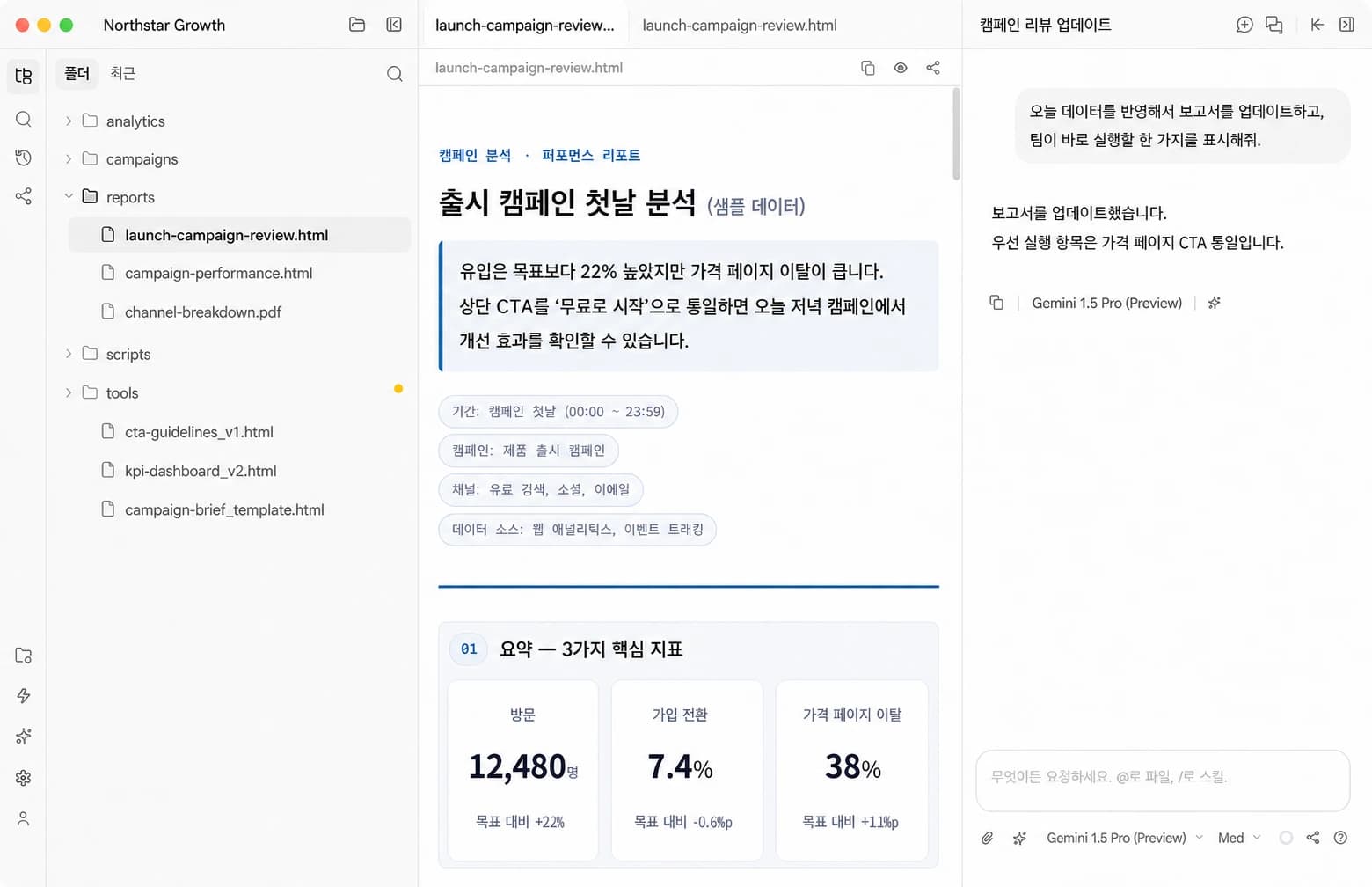
Desktop is where I do deep work
Connect folders and tools on your computer, analyze the work, create reports, and refine the result yourself.
- Connect local folders and tools
- Suited to personal and sensitive work
- Runs while that computer is available
Cloud is where the team can delegate anytime
A remote workspace wakes when needed, and the same agent is available from web, desktop, mobile, and Slack.
- A remote workspace that wakes on demand
- Open directly from web, desktop, or mobile
- Deploy to Company AI and Slack as an agent
Create an agent
The people who know the work create the AI for it.
No API or bot project. Three steps are enough.
- 1
Create a Cloud Workspace
Connect the team’s documents, data, and instructions in one folder.
- 2
Deploy as an agent
Set its name, description, access, and Slack channels, then preview which requests it will handle.
- 3
Join Company AI
Once deployed, Company AI can find the new specialist for the organization.
Northstar team · Launch-day example
Each team answers from its own context. Everyone uses one front door.
These are separate conversations. When a new conversation begins, Company AI selects one best-fit agent and asks a clarifying question when needed.
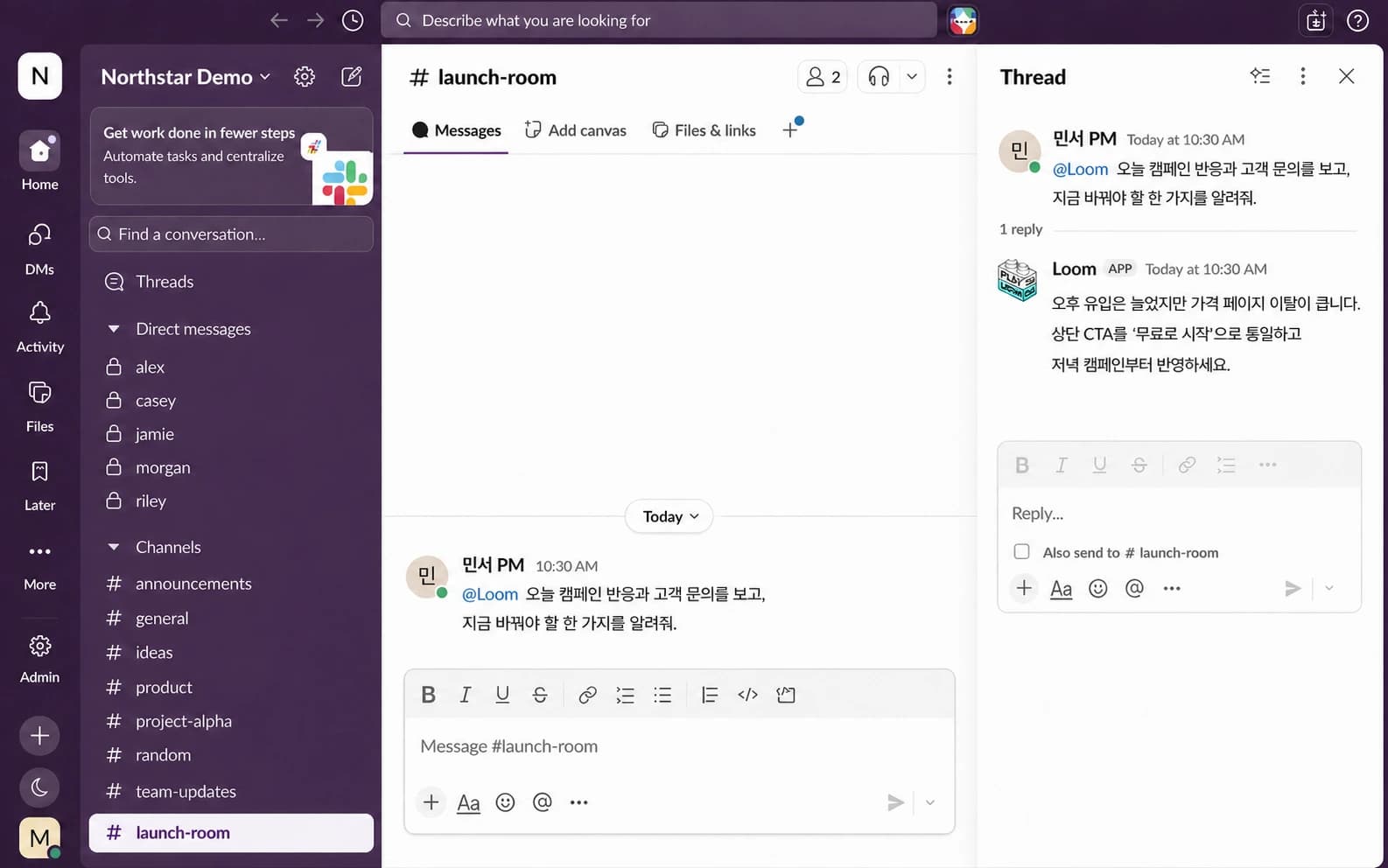
Growth team · Slack
The marketer asks in the channel they already use.
Mention @Loom in Slack. Company AI routes the request to Growth AI, and the answer returns in the same thread.
CX team · Web
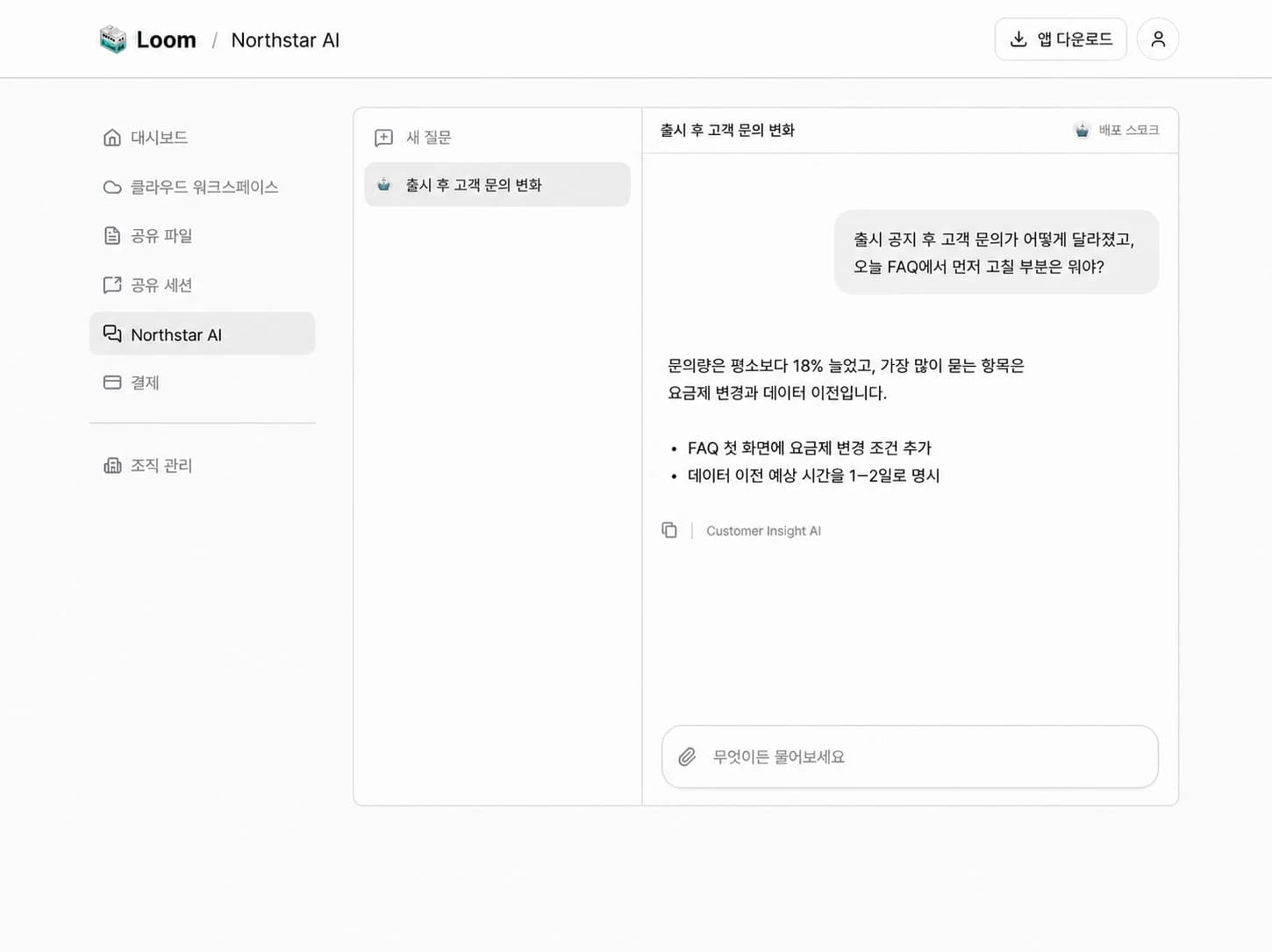
The CX lead checks customer changes in the browser.
Customer Insight AI reads support context and proposes the first FAQ change.
Operations team · Mobile
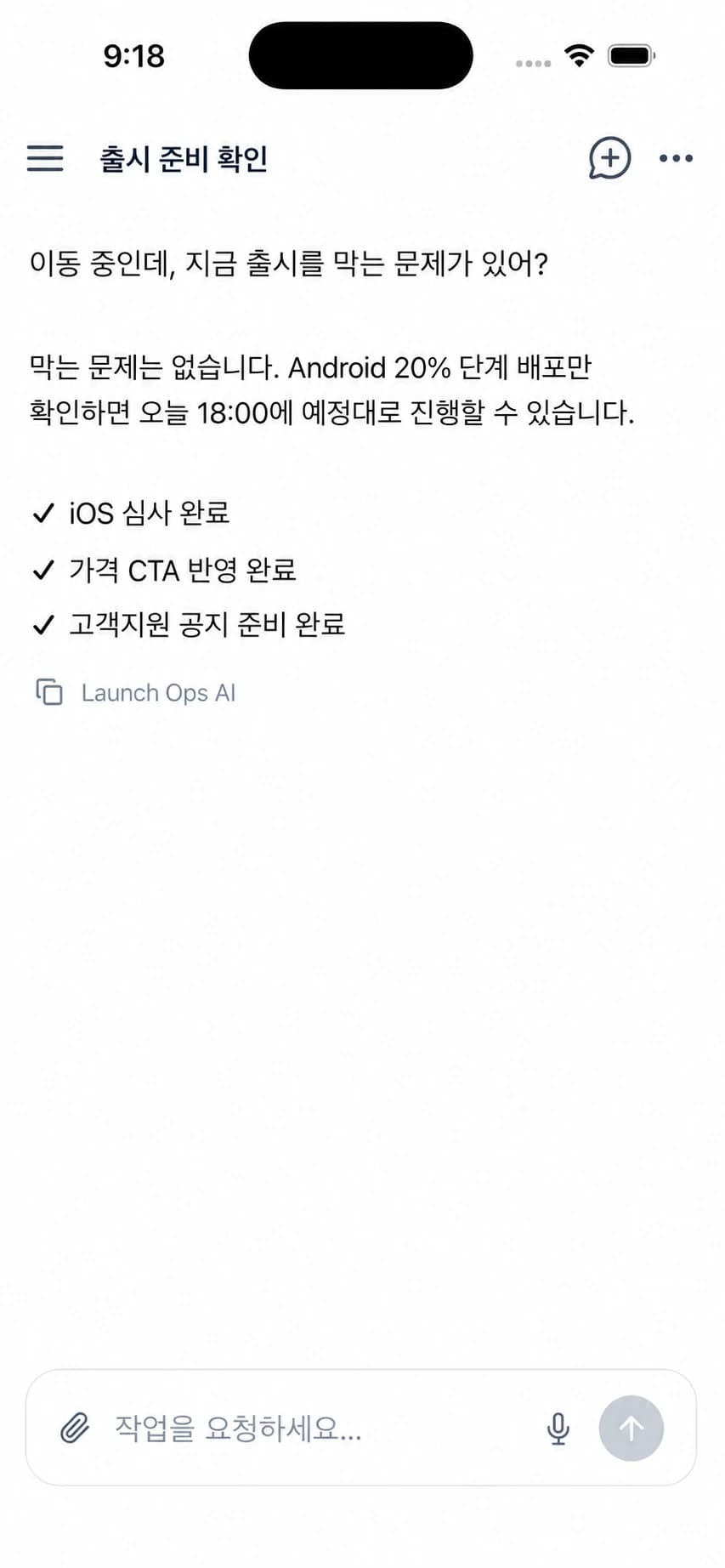
The operations lead checks launch readiness on the move.
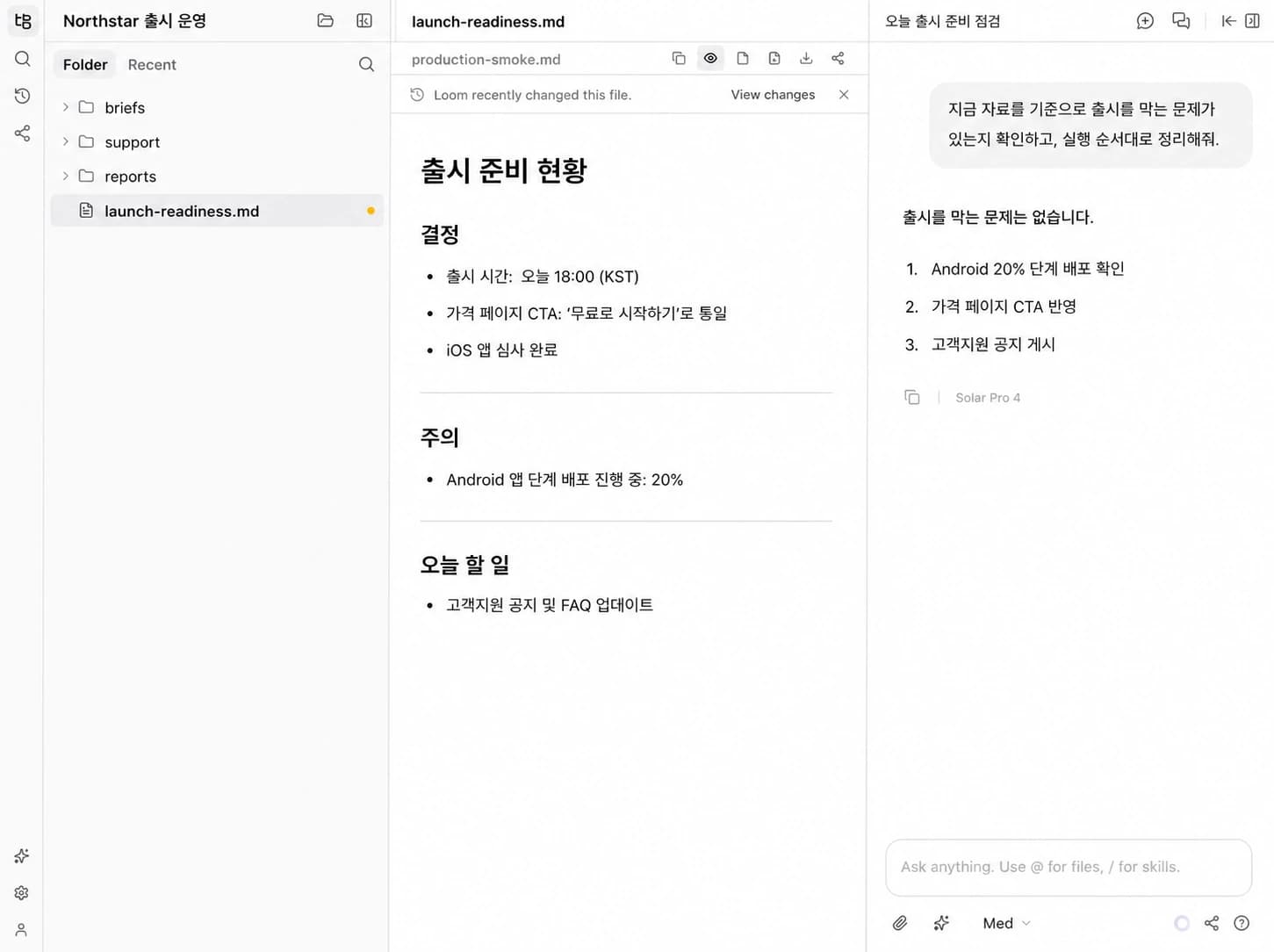
Launch Ops AI reads the latest checklist and confirms what could block launch.
Cloud Workspace · Launch Ops AI
The evidence behind every answer stays in a team-owned workspace.
Files, instructions, and outputs accumulate in one place. Teammates can open the workspace to verify the answer and continue the work.
Desktop Workspace · Campaign analysis
Personal work becomes a report. Durable context becomes a team agent.
A teammate analyzes and refines work in Desktop. Context the team needs repeatedly is operated as a Cloud Workspace.
Nobody has to decide where to ask.
Company AI uses agent descriptions and conversation context to choose the owner. When confidence is low it presents a choice, then keeps that conversation with the selected agent.
Create your team’s first agent.
One team folder is enough to begin. Start with the work your team knows best.
Start with Company AI